Digital Subscription - Instructions
How to Check Your Subscription Activation Date:
Step 1. Sign into your Kayo account here
Step 2. Go to My Account

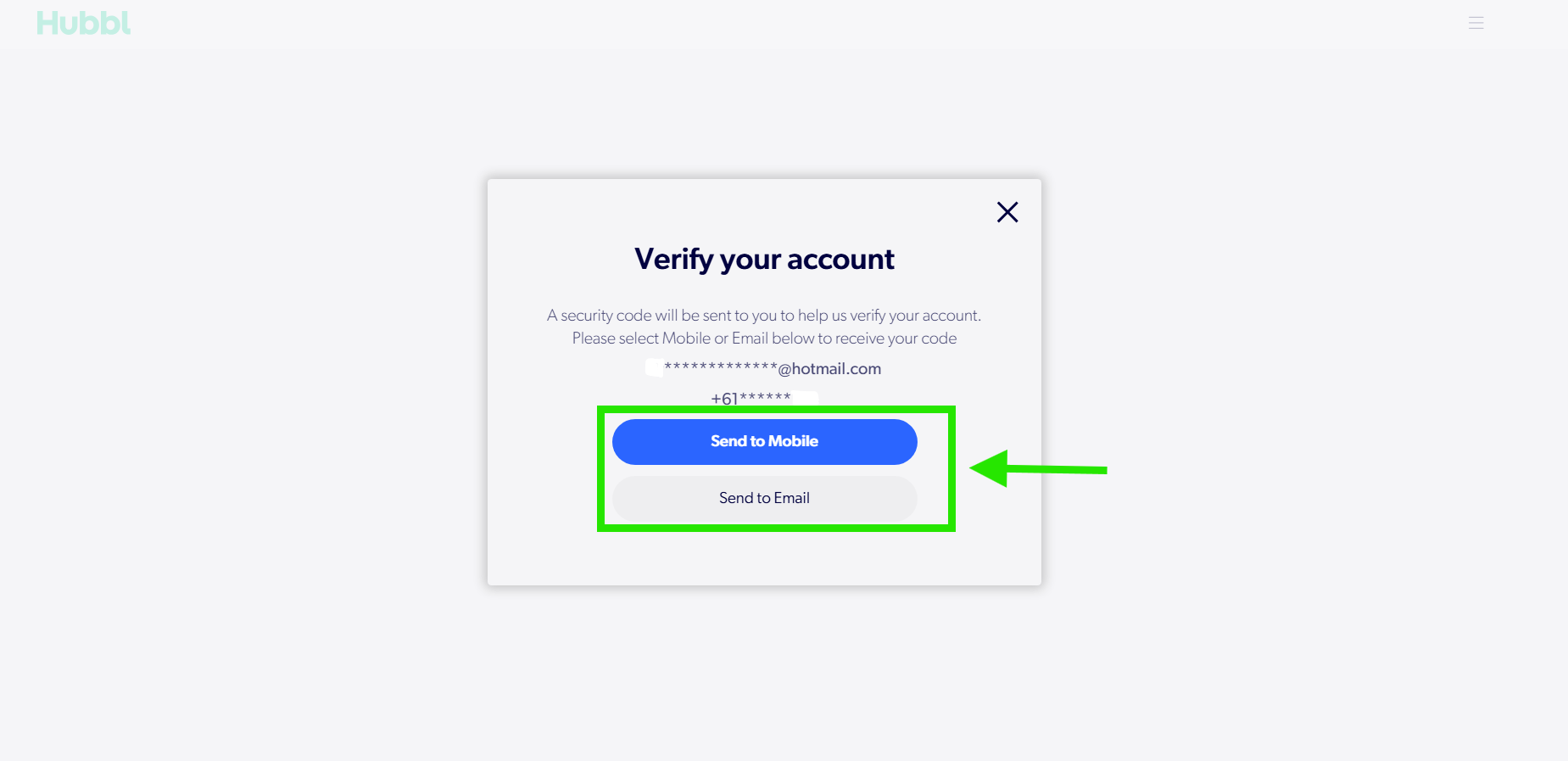
Step 3. Verify your account
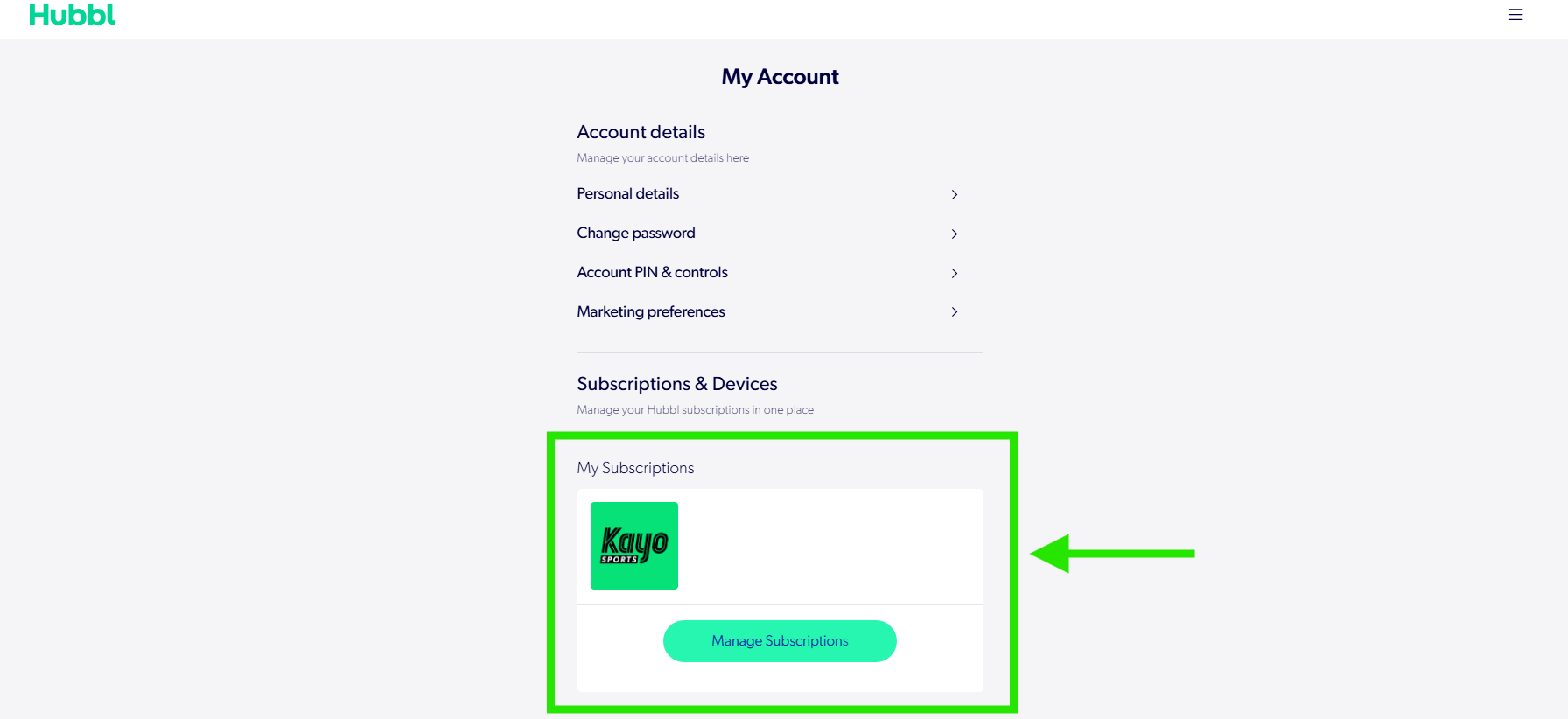
Step 4. Select Manage Subscriptions
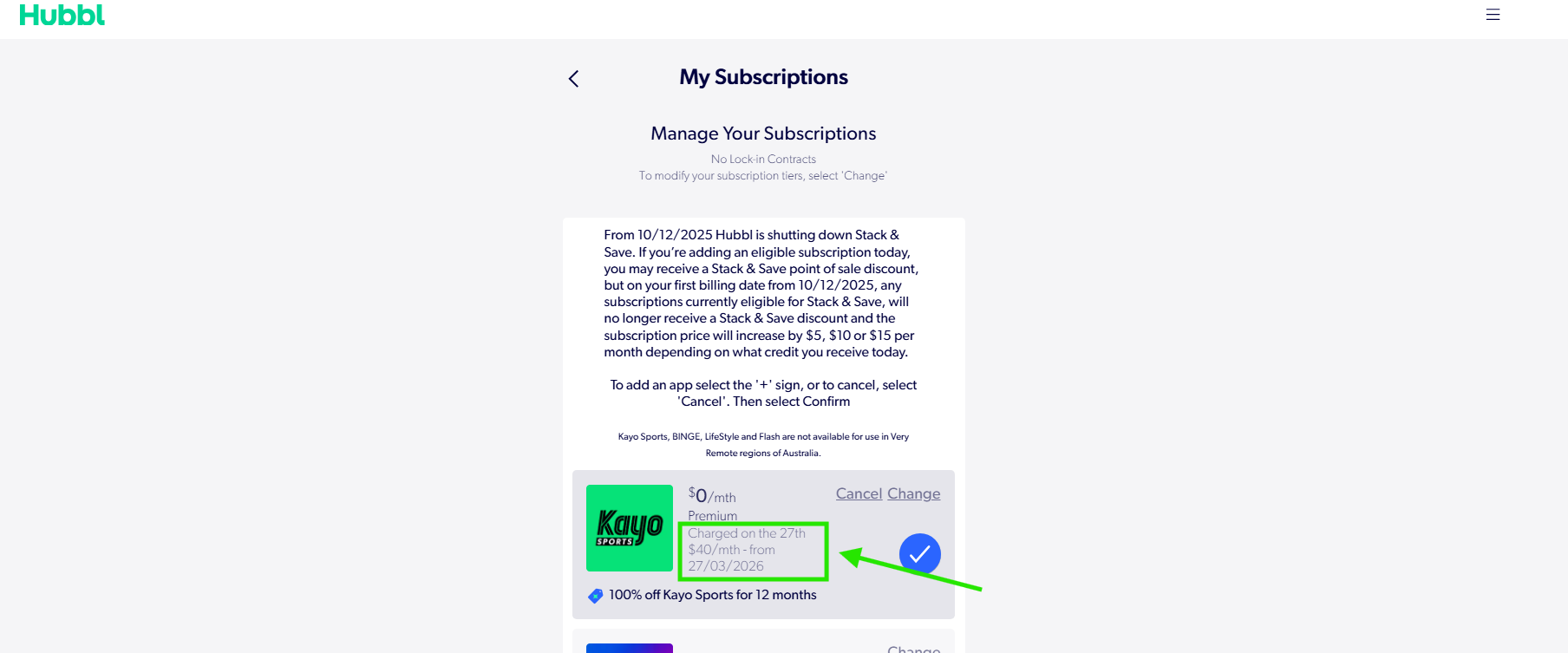
Step 5. Under your active subscription, view your next billing date, this will show when you first activated the subscription.
For any questions or troubleshooting tips, please see here.